Blog

Journal บทความ

Notes from the team building Brainwave: why we think AI belongs on your own network, how to choose the right model, and what that means for your data. บันทึกจากทีมผู้พัฒนา Brainwave ว่าทำไมเราเชื่อว่า AI ควรอยู่ในเครือข่ายของคุณเอง จะเลือกรุ่นที่เหมาะสมอย่างไร และสิ่งนี้มีความหมายอย่างไรต่อข้อมูลของคุณ

October 2026ตุลาคม 2026

Why we built AI that stays in the buildingทำไมเราจึงสร้าง AI ที่อยู่ภายในองค์กร

The case for running AI on your own network: privacy, predictable cost, speed and control.เหตุผลของการรัน AI บนเครือข่ายของคุณเอง ทั้งเรื่องความเป็นส่วนตัว ค่าใช้จ่ายที่คาดการณ์ได้ ความเร็ว และการควบคุม

5 min readอ่าน 5 นาที
October 2026ตุลาคม 2026

Silver, Copper or Gold: choosing the right BrainwaveSilver, Copper หรือ Gold: เลือก Brainwave ที่ใช่

How team size, model size and memory bandwidth should guide your choice.ขนาดทีม ขนาดโมเดล และแบนด์วิดท์หน่วยความจำ ควรเป็นตัวกำหนดการเลือกของคุณอย่างไร

6 min readอ่าน 6 นาที
October 2026ตุลาคม 2026

What “local AI” means for your data“Local AI” มีความหมายอย่างไรต่อข้อมูลของคุณ

A practical guide for IT and compliance teams evaluating on-premise AI.คู่มือเชิงปฏิบัติสำหรับทีม IT และทีม Compliance ที่กำลังพิจารณา AI แบบ On-premise

5 min readอ่าน 5 นาที

Why we built AI that stays in the building

The most useful thing an AI assistant can do at work is help with the work itself: the draft contract, the customer spreadsheet, the recording of yesterday's board meeting. That is also the material most organizations are least comfortable sending to a third party. For a lot of teams, the result is an awkward compromise. People either avoid AI for anything sensitive, or they use it anyway and hope nobody asks.

We started Brainwave because we think there is a simpler answer: put the AI on your own network, on hardware you own, and let everyone in the office use it.

Privacy you can explain in one sentence

With a cloud service, the honest description of where your data goes is long. It involves the provider's data centers, their retention policy, their subprocessors and whatever their terms say this year. With Brainwave the description is short: prompts, files and outputs are processed on a machine in your office. Nothing has to leave the local network for the AI to work.

That matters in practice. It is far easier to get a legal team, a client or an auditor comfortable with “it stays on our hardware” than with a stack of vendor documents.

A cost you can plan for

Most AI services charge per person, per token or per generated image. That works for light use, but it makes budgeting hard and quietly discourages the heavy users who get the most value. Teams start rationing, or someone has to watch a usage dashboard.

Brainwave is a one-time hardware purchase with no subscription and no per-seat or per-token fees. Once it is on your network, the only limit is what the hardware can do. A long transcription job or a batch of image generations does not show up on next month's invoice.

Speed that comes from distance

A request to a cloud model travels across the internet, waits in a shared queue and comes back. A request to Brainwave travels across your office network. For everyday chat that difference is noticeable; for things like real-time translation in a meeting, or a workflow that makes hundreds of small calls in a row, it adds up. Local AI also keeps working when your internet connection does not.

Control over what runs

When AI is a service, the provider decides which model you get, when it changes and what it will or will not do. On your own hardware, you choose. Brainwave runs open models, and an administrator can decide which ones are available to which people. If a model works well for your contracts team, it stays that way until you decide to change it.

The CLI and local database connections mean you can point your own tools and data at it, too, without building an integration with an outside service.

What local AI is not

We want to be straightforward about the trade-offs. The very largest frontier models still run in large data centers, and a single machine in your office will not match them on every task. What we have found is that most day-to-day work, such as drafting, summarizing, searching internal documents, transcribing and translating, is well served by capable open models running locally. For those tasks, keeping data in the building costs very little and gives you a lot.

Brainwave is currently in pre-launch. You can reserve a unit today with a fully refundable US$500 deposit.

ทำไมเราจึงสร้าง AI ที่อยู่ภายในองค์กร

สิ่งที่มีประโยชน์ที่สุดที่ผู้ช่วย AI ทำได้ในที่ทำงาน คือการช่วยทำงานจริง ไม่ว่าจะเป็นร่างสัญญา สเปรดชีตข้อมูลลูกค้า หรือไฟล์บันทึกการประชุมคณะกรรมการเมื่อวานนี้ แต่ข้อมูลเหล่านี้ก็เป็นสิ่งที่องค์กรส่วนใหญ่ไม่สบายใจที่จะส่งให้บุคคลภายนอกมากที่สุดเช่นกัน หลายทีมจึงต้องประนีประนอมแบบไม่ค่อยลงตัว คือไม่ใช้ AI กับงานที่อ่อนไหวเลย หรือใช้ไปโดยหวังว่าจะไม่มีใครถาม

เราเริ่มต้น Brainwave เพราะเชื่อว่ามีทางออกที่ง่ายกว่านั้น นั่นคือการวาง AI ไว้ในเครือข่ายของคุณเอง บนฮาร์ดแวร์ที่คุณเป็นเจ้าของ และให้ทุกคนในออฟฟิศใช้งานได้

ความเป็นส่วนตัวที่อธิบายได้ในประโยคเดียว

เมื่อใช้บริการบน Cloud คำอธิบายที่ตรงไปตรงมาว่าข้อมูลของคุณไปอยู่ที่ไหนนั้นยาวมาก ทั้งศูนย์ข้อมูลของผู้ให้บริการ นโยบายการเก็บรักษาข้อมูล ผู้ประมวลผลข้อมูลช่วง และข้อกำหนดที่อาจเปลี่ยนไปในแต่ละปี แต่สำหรับ Brainwave คำอธิบายนั้นสั้นมาก คือ Prompt ไฟล์ และผลลัพธ์ถูกประมวลผลบนเครื่องที่อยู่ในออฟฟิศของคุณ ไม่มีข้อมูลใดต้องออกจากเครือข่ายภายในเพื่อให้ AI ทำงานได้

เรื่องนี้สำคัญในทางปฏิบัติ การทำให้ฝ่ายกฎหมาย ลูกค้า หรือผู้ตรวจสอบสบายใจกับคำว่า “ข้อมูลอยู่บนฮาร์ดแวร์ของเรา” ง่ายกว่าการส่งเอกสารจากผู้ให้บริการไปให้พิจารณาทีละฉบับมาก

ค่าใช้จ่ายที่วางแผนได้

บริการ AI ส่วนใหญ่คิดค่าบริการรายคน ราย Token หรือรายภาพที่สร้าง ซึ่งเหมาะกับการใช้งานเบา ๆ แต่ทำให้วางงบประมาณได้ยาก และยังทำให้ผู้ที่ใช้งานหนักซึ่งได้ประโยชน์มากที่สุดต้องคอยระวังการใช้งาน ทีมเริ่มจำกัดการใช้ หรือต้องมีคนคอยเฝ้าดูหน้าสรุปการใช้งาน

Brainwave เป็นการซื้อฮาร์ดแวร์ครั้งเดียว ไม่มีค่าสมาชิก ไม่มีค่าใช้จ่ายรายคนหรือราย Token เมื่อเครื่องอยู่ในเครือข่ายของคุณแล้ว ข้อจำกัดเดียวคือความสามารถของฮาร์ดแวร์ งานถอดเสียงยาว ๆ หรือการสร้างภาพจำนวนมากจะไม่ไปปรากฏในใบแจ้งหนี้เดือนถัดไป

ความเร็วที่มาจากระยะทาง

คำขอที่ส่งไปยังโมเดลบน Cloud ต้องเดินทางผ่านอินเทอร์เน็ต รอคิวร่วมกับผู้ใช้อื่น แล้วจึงส่งกลับมา ส่วนคำขอที่ส่งไปยัง Brainwave เดินทางผ่านเครือข่ายในออฟฟิศเท่านั้น สำหรับการแชตทั่วไปความต่างนี้รู้สึกได้ และสำหรับงานอย่างการแปลภาษาแบบเรียลไทม์ระหว่างประชุม หรือ Workflow ที่เรียกใช้โมเดลหลายร้อยครั้งติดต่อกัน ความต่างนี้ยิ่งสะสมมากขึ้น นอกจากนี้ AI ที่ทำงานภายในยังใช้งานได้ต่อแม้อินเทอร์เน็ตจะขัดข้อง

ควบคุมได้ว่าจะใช้อะไร

เมื่อ AI เป็นบริการ ผู้ให้บริการเป็นผู้ตัดสินใจว่าคุณจะได้ใช้โมเดลใด จะเปลี่ยนเมื่อไร และโมเดลจะทำหรือไม่ทำอะไร แต่บนฮาร์ดแวร์ของคุณเอง คุณเป็นผู้เลือก Brainwave รองรับโมเดลแบบ Open และผู้ดูแลระบบสามารถกำหนดได้ว่าโมเดลใดเปิดให้ใครใช้บ้าง หากโมเดลหนึ่งทำงานได้ดีกับทีมสัญญาของคุณ ก็จะคงอยู่อย่างนั้นจนกว่าคุณจะตัดสินใจเปลี่ยน

CLI และการเชื่อมต่อฐานข้อมูลภายในยังช่วยให้คุณเชื่อมเครื่องมือและข้อมูลของคุณเข้ากับ Brainwave ได้โดยตรง โดยไม่ต้องสร้างการเชื่อมต่อกับบริการภายนอก

สิ่งที่ Local AI ไม่ใช่

เราอยากพูดถึงข้อแลกเปลี่ยนอย่างตรงไปตรงมา โมเดลระดับแนวหน้าที่ใหญ่ที่สุดยังคงรันอยู่ในศูนย์ข้อมูลขนาดใหญ่ และเครื่องเดียวในออฟฟิศจะไม่สามารถเทียบได้ในทุกงาน แต่สิ่งที่เราพบคือ งานประจำวันส่วนใหญ่ เช่น การร่างเอกสาร การสรุป การค้นหาเอกสารภายใน การถอดเสียง และการแปล สามารถทำได้ดีด้วยโมเดลแบบ Open ที่มีความสามารถสูงซึ่งรันอยู่ภายใน สำหรับงานเหล่านี้ การเก็บข้อมูลไว้ในองค์กรแทบไม่มีต้นทุนเพิ่ม แต่ให้ประโยชน์อย่างมาก

Brainwave อยู่ในช่วงก่อนเปิดตัว และคุณสามารถจองเครื่องได้แล้ววันนี้ ด้วยเงินมัดจำ 15,000 บาทที่ขอคืนได้เต็มจำนวน
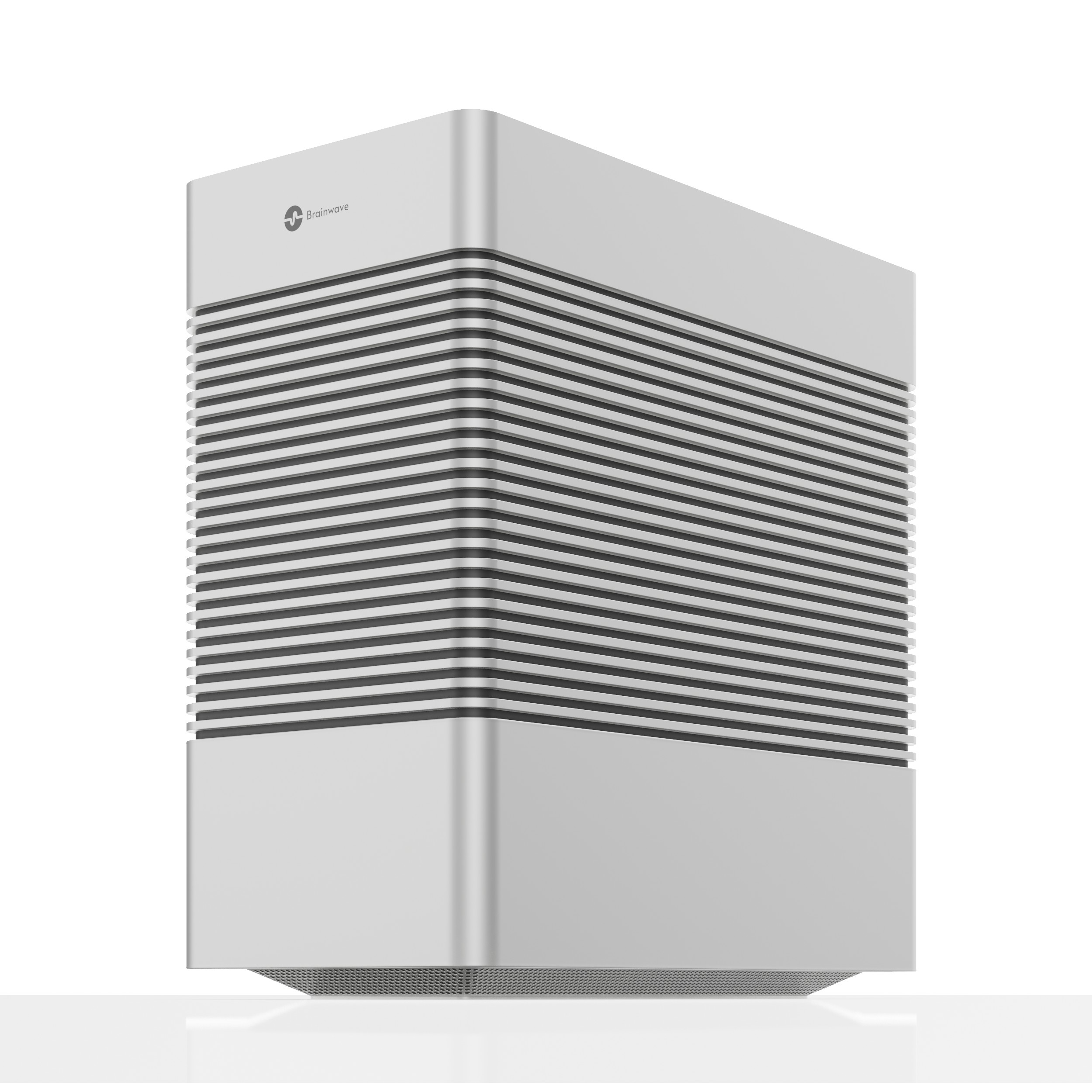
Brainwave Silver
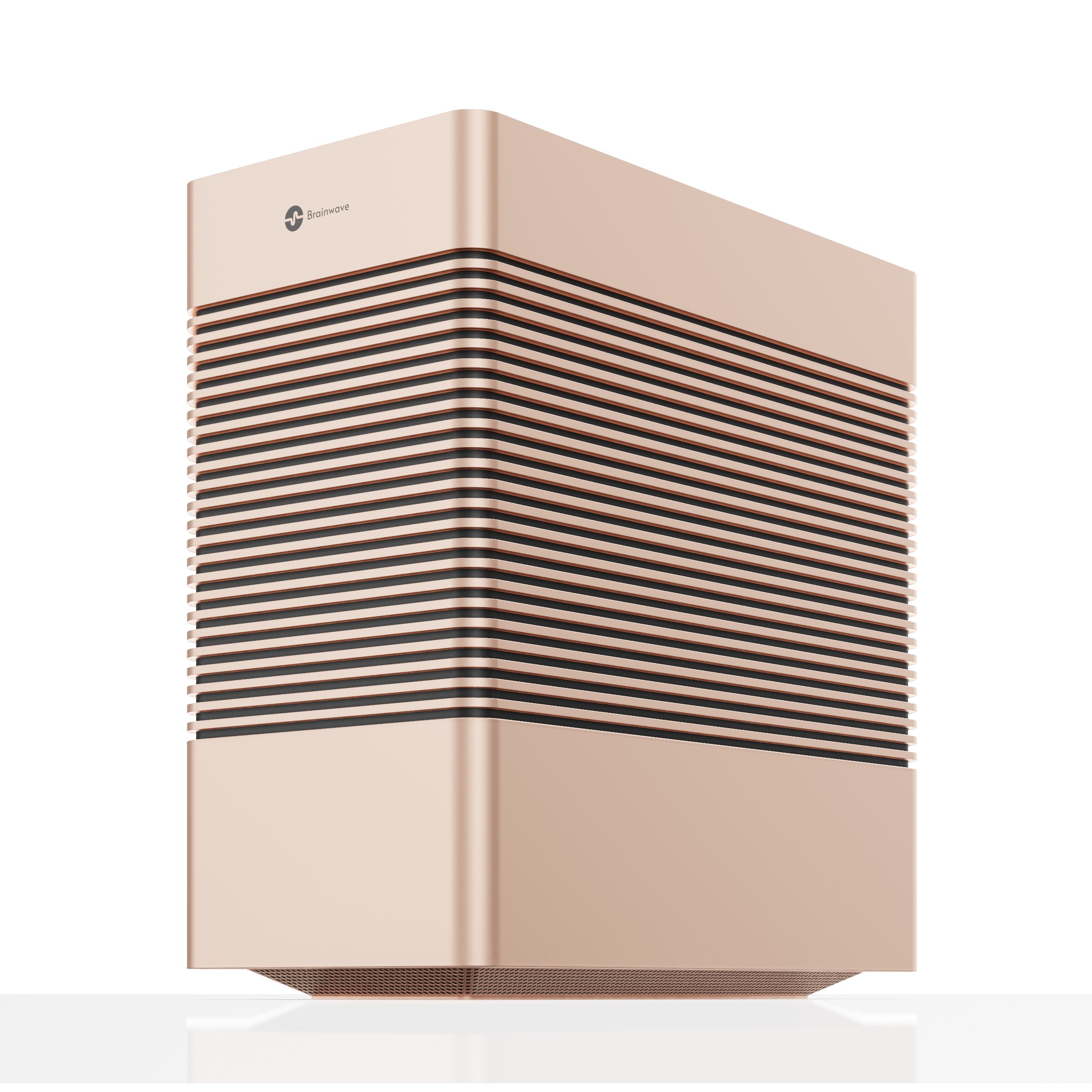
Brainwave Copper
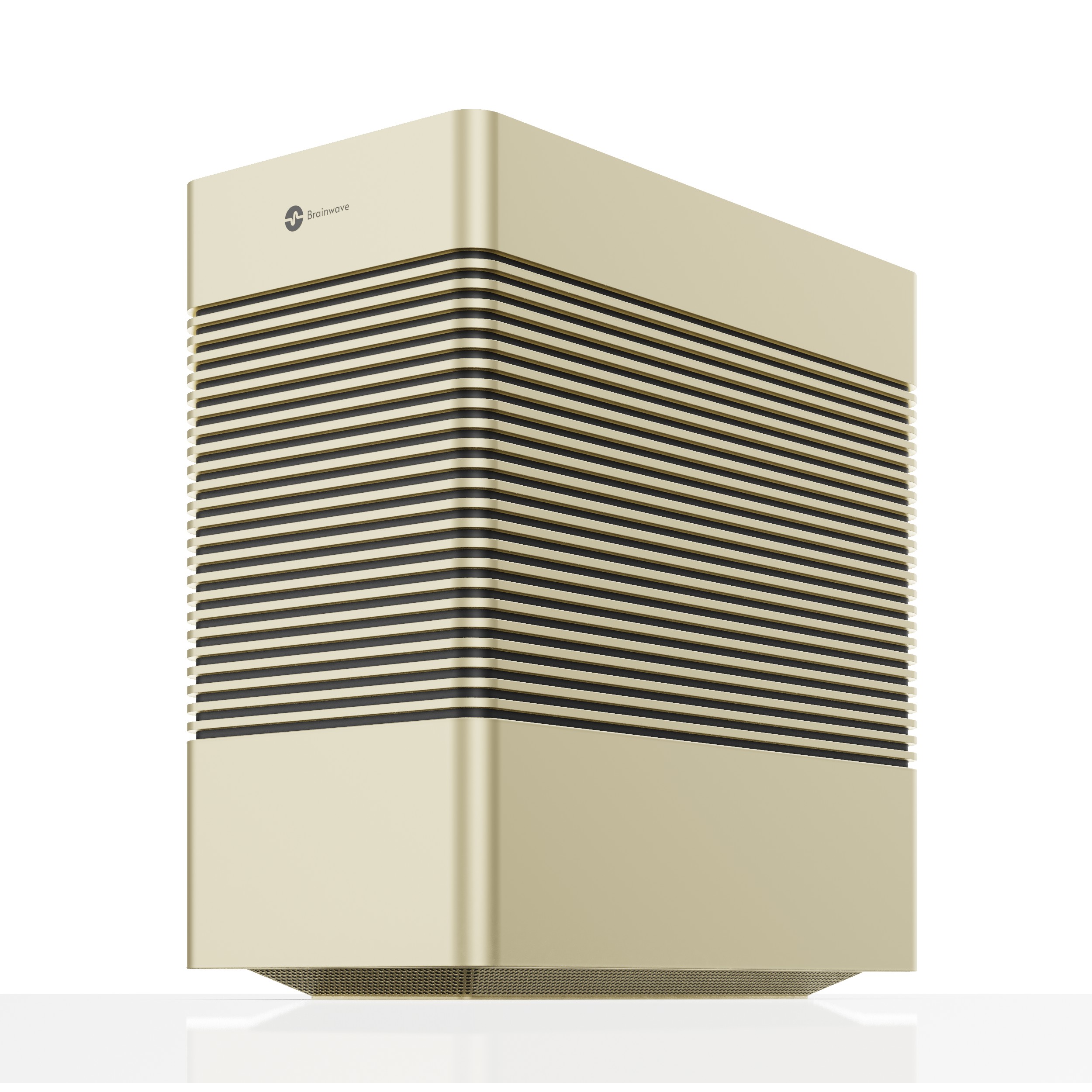
Brainwave Gold

Silver, Copper or Gold: choosing the right Brainwave

All three Brainwave models run the same software. Every one includes AI Chat, Work, the CLI, local database connections, automation workflows, image and video generation, transcription and real-time translation, along with multi-user accounts and the Admin Dashboard. The difference is the hardware underneath, and that changes two things: how large a model you can run, and how many people can use it comfortably at the same time.

Start with the people

The simplest guide is the size of the group that will use it day to day.

  • Silver (Essential) is built for individuals and teams of up to 10.
  • Copper (Pro) is built for teams of up to 25.
  • Gold (Max) is built for departments of 50 or more.

These are guides, not hard limits. Ten people who mostly ask short questions place a very different load on the machine than ten people transcribing meetings and generating video. If your team is near a boundary and uses heavier features, size up.

Then look at memory

A language model has to fit in memory to run, so memory capacity sets the largest model a machine can hold. Memory bandwidth, how quickly the processor can read that memory, largely sets how fast the model produces text. The three models make different trade-offs here.

Silver uses the NVIDIA RTX Spark N1X with 128 GB of unified memory shared between the processor and graphics, with 300 GB/s of bandwidth. Unified memory is the reason a compact machine can hold large models, up to around 120 billion parameters at 4-bit quantization. The trade-off is bandwidth: very large models will run, but they generate more slowly than on dedicated graphics memory. Silver suits a small team that wants access to large, capable models and values breadth over raw speed.

Copper uses the NVIDIA RTX PRO 4000 Blackwell with 24 GB of dedicated GDDR7 memory and 672 GB/s of bandwidth. There is less memory than Silver, so the practical ceiling is models up to around 32 billion parameters, but those models run quickly. That makes Copper a good fit for a busy team that sends many requests through the day, where response time matters more than the largest possible model.

Gold uses the NVIDIA RTX PRO 6000 Blackwell with 96 GB of dedicated GDDR7 memory and 1,792 GB/s of bandwidth. It combines the capacity to hold models up to around 120 billion parameters with the bandwidth to run them at full GPU speed, which is what a large department with many simultaneous users needs.

Consider the workloads

Some features lean harder on the hardware than others. Everyday chat, document search and summarizing are relatively light. Transcription of long recordings, real-time translation across several meetings, image generation and especially video generation are heavier, and they compete with chat for the same graphics processor. If those features will be central to how your team works, favor more graphics memory and bandwidth.

A quick way to decide

  • A small team or a home office that wants the largest models available: Silver.
  • A growing team that wants fast responses for many people at once: Copper.
  • A department, or a team that relies on large models and heavy media work: Gold.

If you are unsure, talk to us about how your team works and we will help you size it. Full specifications for each model are on the Models section of our home page.

Silver, Copper หรือ Gold: เลือก Brainwave ที่ใช่

Brainwave ทั้งสามรุ่นใช้ซอฟต์แวร์ชุดเดียวกัน ทุกรุ่นมาพร้อม AI Chat, Work, CLI การเชื่อมต่อฐานข้อมูลภายใน Automation Workflow การสร้างภาพและวิดีโอ การถอดเสียง และการแปลภาษาแบบเรียลไทม์ รวมถึงบัญชีผู้ใช้หลายคนและ Admin Dashboard สิ่งที่ต่างกันคือฮาร์ดแวร์ ซึ่งส่งผลต่อสองเรื่อง คือขนาดโมเดลที่รันได้ และจำนวนผู้ใช้ที่ใช้งานพร้อมกันได้อย่างราบรื่น

เริ่มจากจำนวนคน

วิธีที่ง่ายที่สุดคือดูจากจำนวนคนที่จะใช้งานเป็นประจำ

  • Silver (Essential) เหมาะสำหรับผู้ใช้รายบุคคลและทีมไม่เกิน 10 คน
  • Copper (Pro) เหมาะสำหรับทีมไม่เกิน 25 คน
  • Gold (Max) เหมาะสำหรับแผนกที่มี 50 คนขึ้นไป

ตัวเลขเหล่านี้เป็นแนวทาง ไม่ใช่ข้อจำกัดตายตัว ทีม 10 คนที่ส่วนใหญ่ถามคำถามสั้น ๆ สร้างภาระให้เครื่องต่างจากทีม 10 คนที่ถอดเสียงการประชุมและสร้างวิดีโออย่างมาก หากทีมของคุณอยู่ใกล้เกณฑ์และใช้ฟีเจอร์ที่ต้องการทรัพยากรสูง ควรเลือกรุ่นที่สูงขึ้น

จากนั้นดูที่หน่วยความจำ

โมเดลภาษาต้องโหลดลงในหน่วยความจำจึงจะทำงานได้ ดังนั้นความจุของหน่วยความจำจึงเป็นตัวกำหนดขนาดโมเดลที่ใหญ่ที่สุดที่เครื่องรองรับ ส่วนแบนด์วิดท์หน่วยความจำ หรือความเร็วที่โปรเซสเซอร์อ่านข้อมูลจากหน่วยความจำ เป็นตัวกำหนดหลักว่าโมเดลจะสร้างข้อความได้เร็วเพียงใด ทั้งสามรุ่นมีจุดสมดุลที่แตกต่างกัน

Silver ใช้ NVIDIA RTX Spark N1X พร้อมหน่วยความจำแบบ Unified ขนาด 128 GB ที่ใช้ร่วมกันระหว่างโปรเซสเซอร์และกราฟิก มีแบนด์วิดท์ 300 GB/s หน่วยความจำแบบ Unified คือเหตุผลที่เครื่องขนาดกะทัดรัดรองรับโมเดลขนาดใหญ่ได้ถึงประมาณ 120,000 ล้านพารามิเตอร์ที่ Quantization แบบ 4-bit ข้อแลกเปลี่ยนคือแบนด์วิดท์ โมเดลขนาดใหญ่มากจะรันได้ แต่สร้างข้อความช้ากว่าการใช้หน่วยความจำกราฟิกเฉพาะ Silver จึงเหมาะกับทีมเล็กที่ต้องการเข้าถึงโมเดลขนาดใหญ่ที่มีความสามารถสูง และให้ความสำคัญกับความหลากหลายของโมเดลมากกว่าความเร็วสูงสุด

Copper ใช้ NVIDIA RTX PRO 4000 Blackwell พร้อมหน่วยความจำ GDDR7 เฉพาะสำหรับกราฟิก 24 GB และแบนด์วิดท์ 672 GB/s หน่วยความจำน้อยกว่า Silver จึงรองรับโมเดลได้สูงสุดประมาณ 32,000 ล้านพารามิเตอร์ แต่โมเดลเหล่านั้นทำงานได้รวดเร็ว Copper จึงเหมาะกับทีมที่มีงานยุ่งและส่งคำขอจำนวนมากตลอดวัน ซึ่งเวลาตอบสนองสำคัญกว่าการใช้โมเดลที่ใหญ่ที่สุด

Gold ใช้ NVIDIA RTX PRO 6000 Blackwell พร้อมหน่วยความจำ GDDR7 เฉพาะสำหรับกราฟิก 96 GB และแบนด์วิดท์ 1,792 GB/s รวมความจุที่รองรับโมเดลได้ถึงประมาณ 120,000 ล้านพารามิเตอร์ เข้ากับแบนด์วิดท์ที่รันโมเดลเหล่านั้นได้ด้วยความเร็วเต็มของ GPU ซึ่งเป็นสิ่งที่แผนกขนาดใหญ่ที่มีผู้ใช้พร้อมกันจำนวนมากต้องการ

พิจารณาประเภทงาน

บางฟีเจอร์ใช้ทรัพยากรฮาร์ดแวร์มากกว่าฟีเจอร์อื่น การแชตทั่วไป การค้นหาเอกสาร และการสรุปข้อมูลใช้ทรัพยากรค่อนข้างน้อย ส่วนการถอดเสียงไฟล์บันทึกยาว ๆ การแปลภาษาแบบเรียลไทม์ในหลายการประชุม การสร้างภาพ และโดยเฉพาะการสร้างวิดีโอ ใช้ทรัพยากรมากกว่า และต้องแบ่ง GPU ตัวเดียวกันกับการแชต หากฟีเจอร์เหล่านี้เป็นหัวใจของการทำงานในทีม ควรเลือกรุ่นที่มีหน่วยความจำกราฟิกและแบนด์วิดท์สูงกว่า

วิธีตัดสินใจแบบรวดเร็ว

  • ทีมเล็กหรือโฮมออฟฟิศที่ต้องการใช้โมเดลขนาดใหญ่ที่สุด: Silver
  • ทีมที่กำลังเติบโตและต้องการการตอบสนองที่รวดเร็วสำหรับผู้ใช้หลายคนพร้อมกัน: Copper
  • แผนกขนาดใหญ่ หรือทีมที่พึ่งพาโมเดลขนาดใหญ่และงานสื่อที่ใช้ทรัพยากรสูง: Gold

หากยังไม่แน่ใจ คุยกับเราเกี่ยวกับรูปแบบการทำงานของทีมคุณ แล้วเราจะช่วยเลือกรุ่นที่เหมาะสม ดูสเปกเต็มของแต่ละรุ่นได้ที่ส่วนรุ่นบนหน้าแรกของเรา

What “local AI” means for your data

“Local” is easy to say and easy to misunderstand. If you are the person in IT or compliance who has to sign off on a new AI tool, you need a clearer picture than a slogan. This is how we think about it, and the questions we suggest asking of any on-premise AI product, including ours.

What happens on the device

On Brainwave, the AI work itself happens on the machine. When someone on your network sends a chat message, uploads a document to a shared workspace, transcribes a meeting or generates an image, the model that does the work runs on Brainwave's own GPU. The inputs, the outputs and the files connected through the local database are stored on Brainwave's own storage. None of this needs an internet connection, and none of it is sent to us.

In practical terms, the machine behaves like any other server in your office. It sits behind your firewall and your existing network rules apply to it.

What the administrator controls

Because the data lives on hardware you own, the decisions about it are yours as well. Through the Admin Dashboard, an administrator manages who has an account, what each person or group can access, and which models and features are available. Shared workspaces can be limited to the people who need them, so a finance team's documents do not appear in a marketing workspace.

Retention works the same way. How long conversations, transcripts and generated files are kept is something your organization decides, in line with your own policies, rather than something set by a vendor.

What connects outward, and only if you choose

Some things are useful to fetch from the internet, such as software updates and new open models. We treat these as things you turn on, not things that happen silently. If your policy is that the machine should never reach the internet, it can run fully offline; you will simply need to plan how updates reach it. If you connect your own external tools through the CLI or an automation workflow, those connections are ones you configure, and data goes only where you send it.

Practical guidance for IT and compliance teams

  • Map the data flows. Record Brainwave in your systems inventory as an internal server, and note which internal data sources you connect to it.
  • Apply least privilege. Set up groups and workspaces before you invite everyone, and give access to sensitive sources only to the people who need it.
  • Decide on retention up front. Agree how long chats and transcripts should be kept, and configure that before rollout.
  • Review outbound settings. Decide whether updates and model downloads are allowed, and from which network segment.
  • Treat it as physical infrastructure. Place the machine somewhere access is controlled, as you would any server holding business data.

Data protection laws such as Thailand's PDPA still apply to personal data processed on your own hardware. Running AI locally does not remove those obligations, but it does make them simpler to meet: the data stays within your organization, under your controls, with no additional third-party processor to assess for the AI itself. Your own legal advisers should confirm how this applies to your situation.

For more on how we handle the limited information we do collect, such as waitlist sign-ups, see our Privacy Policy.

“Local AI” มีความหมายอย่างไรต่อข้อมูลของคุณ

คำว่า “Local” พูดง่ายแต่เข้าใจผิดได้ง่ายเช่นกัน หากคุณเป็นผู้รับผิดชอบด้าน IT หรือ Compliance ที่ต้องอนุมัติเครื่องมือ AI ใหม่ คุณต้องการภาพที่ชัดเจนกว่าคำโฆษณา บทความนี้อธิบายวิธีที่เรามองเรื่องนี้ และคำถามที่เราแนะนำให้ถามผลิตภัณฑ์ AI แบบ On-premise ทุกตัว รวมถึงของเราด้วย

สิ่งที่เกิดขึ้นบนเครื่อง

บน Brainwave การประมวลผล AI เกิดขึ้นบนเครื่องทั้งหมด เมื่อมีคนในเครือข่ายของคุณส่งข้อความแชต อัปโหลดเอกสารไปยังพื้นที่ทำงานร่วมกัน ถอดเสียงการประชุม หรือสร้างภาพ โมเดลที่ทำงานนั้นรันอยู่บน GPU ของ Brainwave เอง ข้อมูลนำเข้า ผลลัพธ์ และไฟล์ที่เชื่อมต่อผ่านฐานข้อมูลภายในจะถูกจัดเก็บไว้ในพื้นที่จัดเก็บของ Brainwave ทั้งหมดนี้ไม่ต้องใช้อินเทอร์เน็ต และไม่มีข้อมูลใดถูกส่งมาให้เรา

ในทางปฏิบัติ เครื่องนี้ทำงานเหมือนเซิร์ฟเวอร์อื่น ๆ ในออฟฟิศของคุณ อยู่หลัง Firewall และอยู่ภายใต้กฎเครือข่ายที่คุณใช้อยู่แล้ว

สิ่งที่ผู้ดูแลระบบควบคุมได้

เมื่อข้อมูลอยู่บนฮาร์ดแวร์ที่คุณเป็นเจ้าของ การตัดสินใจเกี่ยวกับข้อมูลก็เป็นของคุณเช่นกัน ผ่าน Admin Dashboard ผู้ดูแลระบบสามารถจัดการได้ว่าใครมีบัญชีผู้ใช้ แต่ละคนหรือแต่ละกลุ่มเข้าถึงอะไรได้บ้าง และเปิดให้ใช้โมเดลและฟีเจอร์ใด พื้นที่ทำงานร่วมกันสามารถจำกัดไว้เฉพาะคนที่จำเป็น เอกสารของทีมการเงินจึงจะไม่ไปปรากฏในพื้นที่ทำงานของทีมการตลาด

การเก็บรักษาข้อมูลก็เช่นเดียวกัน ระยะเวลาการเก็บบทสนทนา ไฟล์ถอดเสียง และไฟล์ที่สร้างขึ้น เป็นสิ่งที่องค์กรของคุณกำหนดเองตามนโยบายของคุณ ไม่ใช่สิ่งที่ผู้ให้บริการเป็นผู้กำหนด

สิ่งที่เชื่อมต่อออกภายนอก เฉพาะเมื่อคุณเลือก

บางอย่างมีประโยชน์ที่จะดึงมาจากอินเทอร์เน็ต เช่น การอัปเดตซอฟต์แวร์และโมเดลแบบ Open ใหม่ ๆ เรามองว่าสิ่งเหล่านี้เป็นตัวเลือกที่คุณเปิดใช้เอง ไม่ใช่สิ่งที่เกิดขึ้นเบื้องหลังโดยไม่รู้ตัว หากนโยบายของคุณกำหนดว่าเครื่องต้องไม่เชื่อมต่ออินเทอร์เน็ตเลย ก็สามารถใช้งานแบบออฟไลน์ได้ทั้งหมด เพียงแต่ต้องวางแผนว่าจะนำการอัปเดตเข้าสู่เครื่องอย่างไร และหากคุณเชื่อมต่อเครื่องมือภายนอกของคุณเองผ่าน CLI หรือ Automation Workflow การเชื่อมต่อเหล่านั้นเป็นสิ่งที่คุณตั้งค่าเอง ข้อมูลจะไปเฉพาะที่ที่คุณส่งไปเท่านั้น

แนวทางปฏิบัติสำหรับทีม IT และทีม Compliance

  • ระบุเส้นทางของข้อมูล บันทึก Brainwave ในทะเบียนระบบขององค์กรในฐานะเซิร์ฟเวอร์ภายใน และระบุแหล่งข้อมูลภายในที่เชื่อมต่อเข้ามา
  • ให้สิทธิ์เท่าที่จำเป็น ตั้งค่ากลุ่มผู้ใช้และพื้นที่ทำงานก่อนเชิญทุกคนเข้าใช้งาน และให้สิทธิ์เข้าถึงแหล่งข้อมูลที่อ่อนไหวเฉพาะผู้ที่จำเป็นเท่านั้น
  • กำหนดระยะเวลาเก็บรักษาข้อมูลตั้งแต่แรก ตกลงกันว่าจะเก็บบทสนทนาและไฟล์ถอดเสียงไว้นานเท่าใด และตั้งค่าให้เรียบร้อยก่อนเริ่มใช้งานจริง
  • ทบทวนการตั้งค่าการเชื่อมต่อออกภายนอก ตัดสินใจว่าจะอนุญาตการอัปเดตและการดาวน์โหลดโมเดลหรือไม่ และจากส่วนใดของเครือข่าย
  • ดูแลเหมือนโครงสร้างพื้นฐานทางกายภาพ วางเครื่องไว้ในพื้นที่ที่ควบคุมการเข้าถึงได้ เช่นเดียวกับเซิร์ฟเวอร์อื่นที่เก็บข้อมูลทางธุรกิจ

กฎหมายคุ้มครองข้อมูลส่วนบุคคล เช่น PDPA ของประเทศไทย ยังคงใช้บังคับกับข้อมูลส่วนบุคคลที่ประมวลผลบนฮาร์ดแวร์ของคุณเอง การใช้ AI ภายในองค์กรไม่ได้ทำให้หน้าที่เหล่านั้นหายไป แต่ช่วยให้ปฏิบัติตามได้ง่ายขึ้น เพราะข้อมูลอยู่ภายในองค์กร ภายใต้การควบคุมของคุณ และไม่มีผู้ประมวลผลข้อมูลภายนอกเพิ่มเติมที่ต้องประเมินสำหรับการใช้ AI ทั้งนี้ควรให้ที่ปรึกษากฎหมายขององค์กรยืนยันการปรับใช้กับกรณีของคุณ

ดูรายละเอียดเพิ่มเติมเกี่ยวกับวิธีที่เราจัดการข้อมูลจำนวนจำกัดที่เราเก็บ เช่น การลงทะเบียนรายชื่อรอรับสินค้า ได้ที่นโยบายความเป็นส่วนตัว

Reserve your Brainwaveจอง Brainwave ของคุณ

Reservations for the first production run are open. Join the waitlist and we'll be in touch before units ship. เปิดรับจองสำหรับการผลิตล็อตแรกแล้ว ลงชื่อในรายชื่อรอรับสินค้า แล้วเราจะติดต่อกลับก่อนเริ่มจัดส่ง

Reserve Brainwaveจอง Brainwave Talk to our teamคุยกับทีมเรา